
Edge modulesAccounts Module
Simplifying customer management
Seamless control over every facet of Customer Accounts, from overseeing the SPIDs associated with Accounts to effortlessly navigating manual Customer Billing.

Explore the Accounts screen
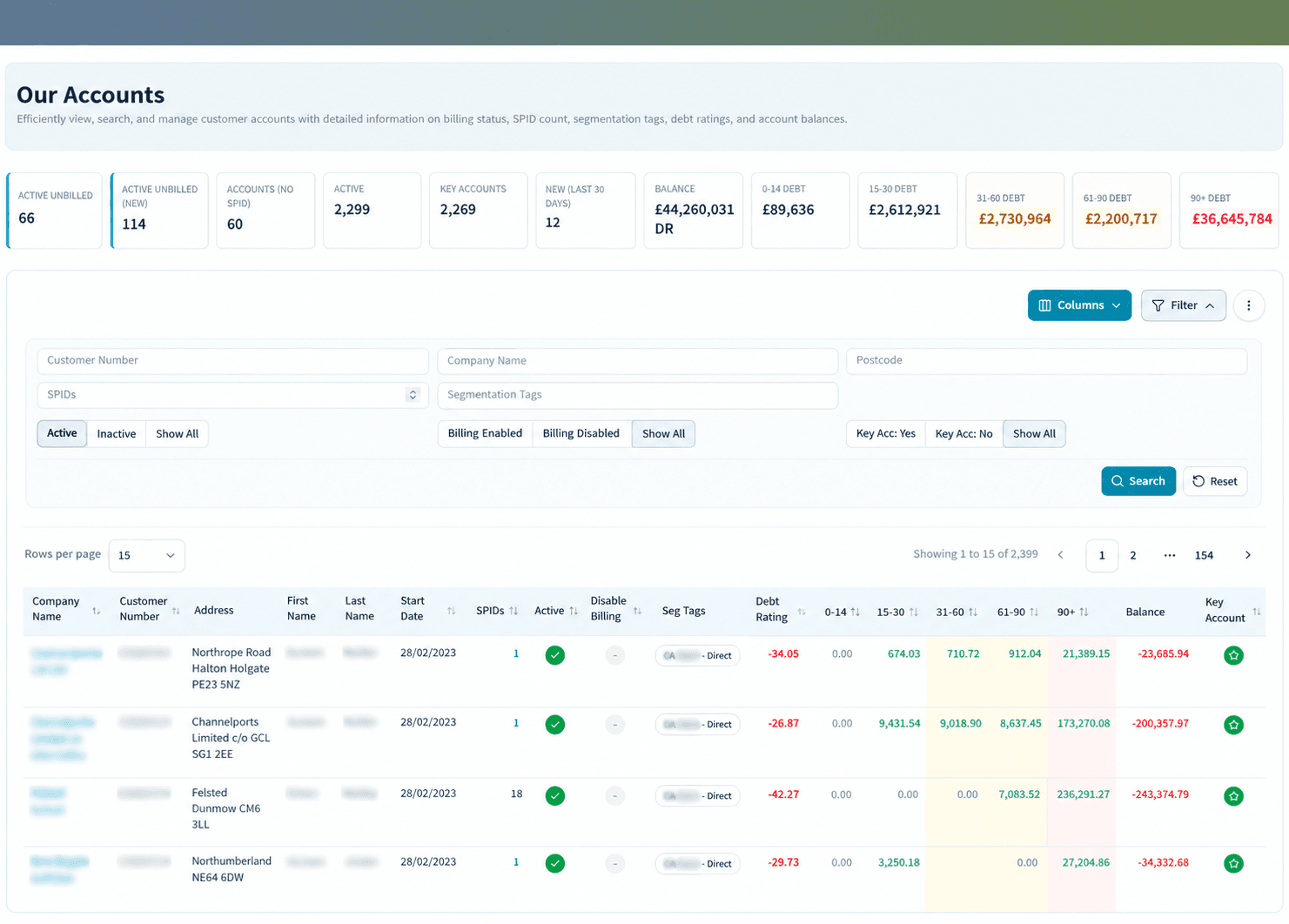
Your gateway to a comprehensive list of Customer Accounts within the Edge system. Easily navigate through a customizable display that filters the list by account status. The default setting shows “Active” accounts, providing you with a seamless overview of your customer base.
Filter and view
- Active
- Inactive
- All
In-depth customer insights with the click of a button
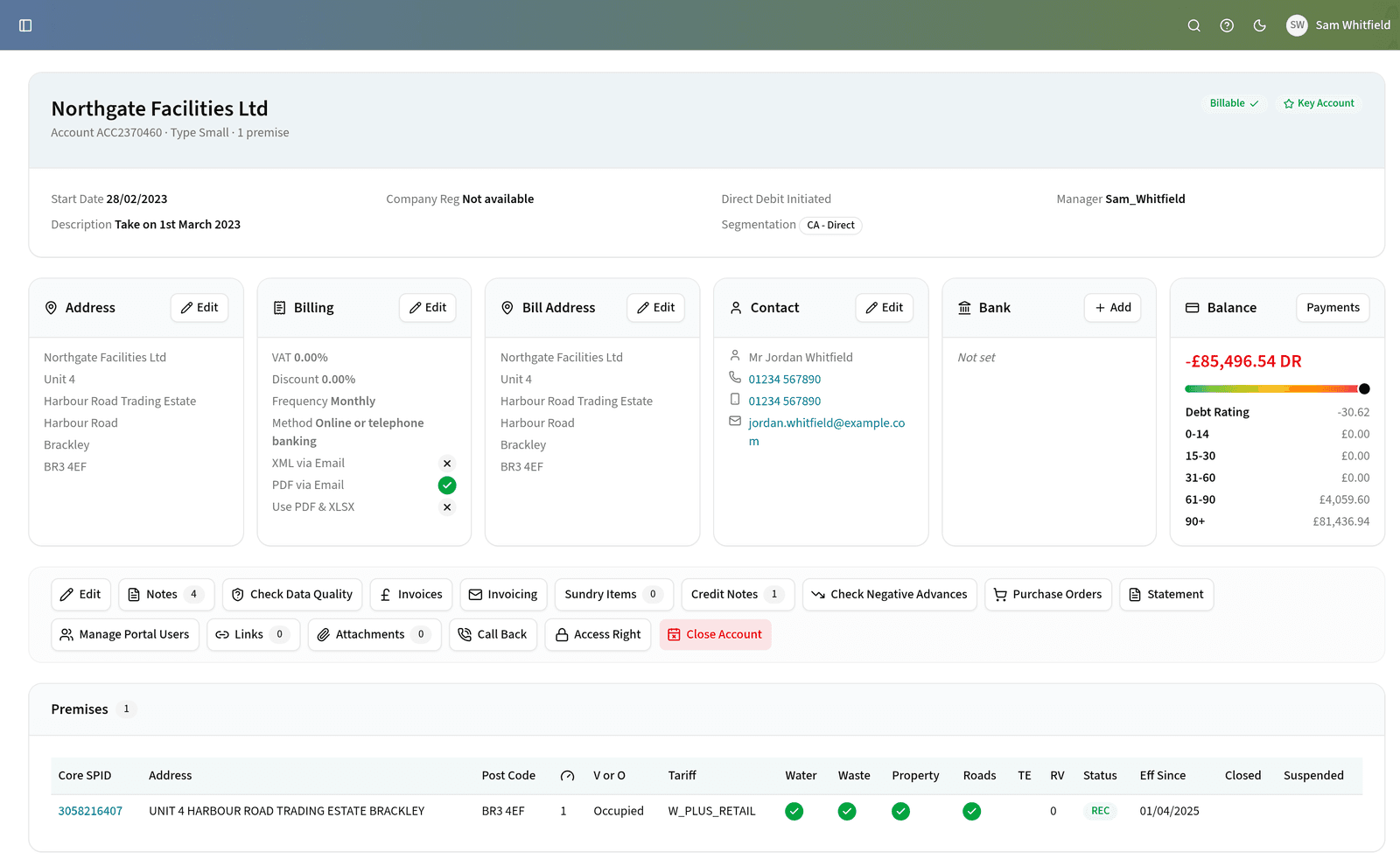
A user-friendly interface designed for seamless access and comprehensive viewing of customer details. Explore the richness of customer information effortlessly by simply clicking on a customer record.
Effortless navigation
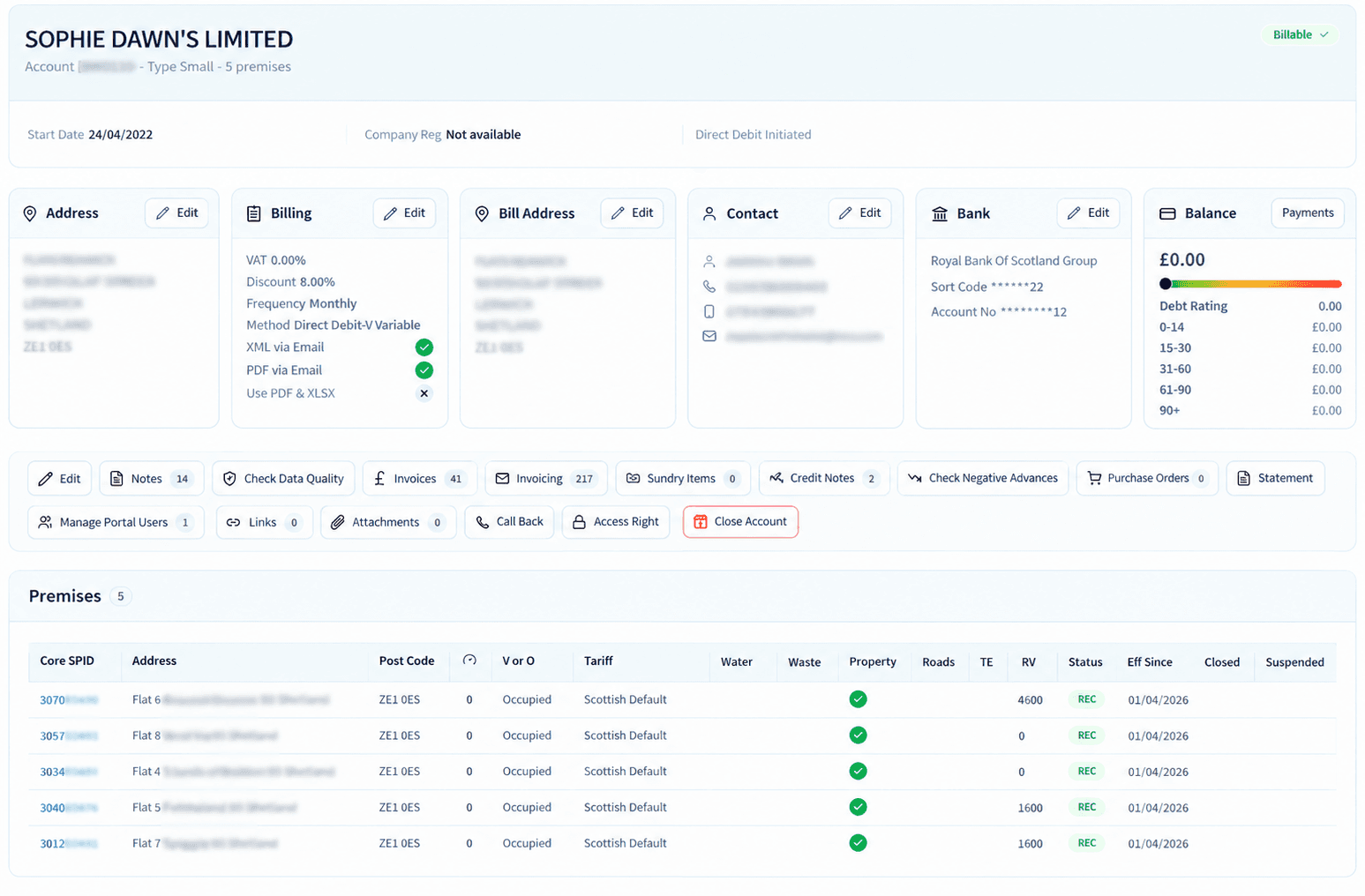
The screen facilitates a clear list of Account SPIDs, providing easy toggling between the Accounts view and the SPIDs view.
Smart account management with Segmentation Tags
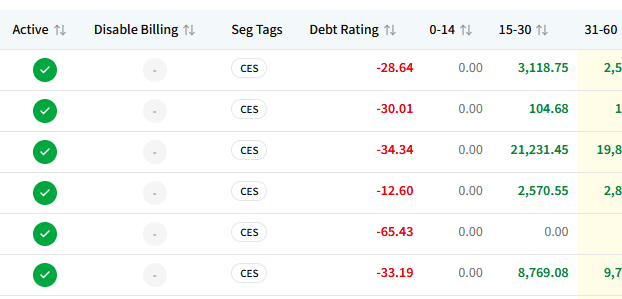
Utilize “Segmentation Tags” for effective account management. These custom data attributes are user-configurable and can be assigned to any account.
Group customers by any classification your business works with, then filter, report and act on those groups without maintaining a separate list alongside Edge.
Group customers by
- Sector
- Region
- Service mix
Index columns you control
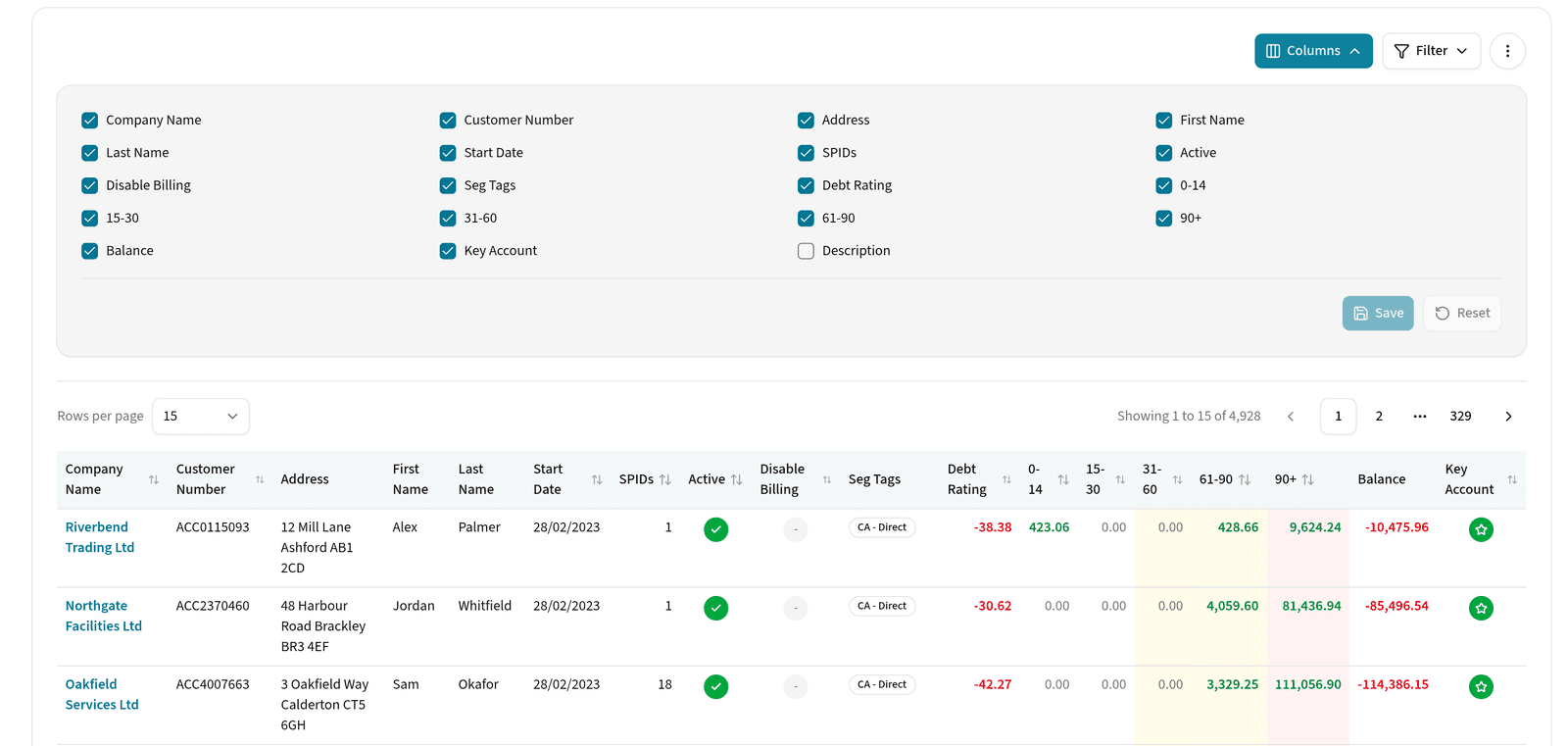
The Accounts index is yours to configure. Choose which columns appear and in what order, so the details your team works from every day are the ones on screen.
Paired with the configurable dashboard tiles in the Reporting Module, it gives each person a view of Edge that matches how they actually work.
Comprehensive account documentation
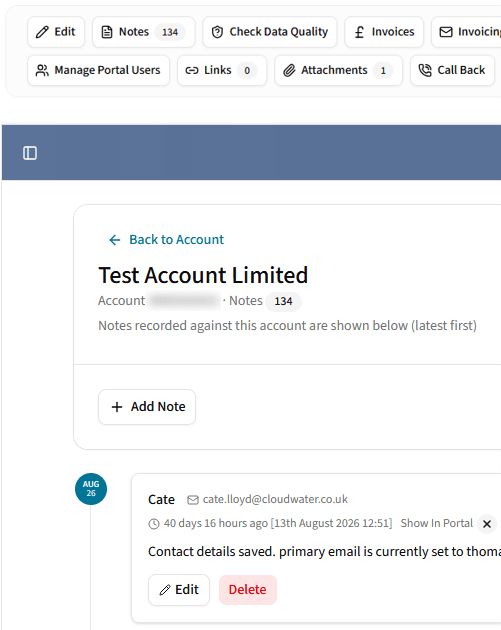
Manage your account records with a wealth of detailed information. Easily capture important account details using the note-taking feature, and save essential files directly within the Edge database, ensuring a robust and organized account repository.
Save files such as
- Quotations
- Contract documents
- Photos
Works with
Modules that pick up where this one leaves off
- SPID ModuleThe central hub where the supply point data behind each Account is managed.
- Billing ModuleBill periods, dates and output formats are set at Account level, with all Account SPIDs consolidated.
- Quotation ModuleOnce a quotation is signed and approved, Edge automates the account setup.
- Reporting ModuleConfigurable dashboard tiles to pair with the index columns you choose here.
Explore How Edge Could Support Your Retail Operation
If you’d like to understand how Cloudwater Edge could support your business, we’d be happy to talk through your current setup, challenges and plans.
Book a conversation