
Edge modulesMarket Module
Unlock market insights
Your gateway to the Market Data Set (MDS): powerful access to essential market data, in a screen your team will be comfortable using every day.

- Supply Point IDs (SPIDs) to explore
- ≈1.8 million
- Refresh of market data
- Daily
- English and Scottish, in one place
- 2 markets
Find any supply point in the market
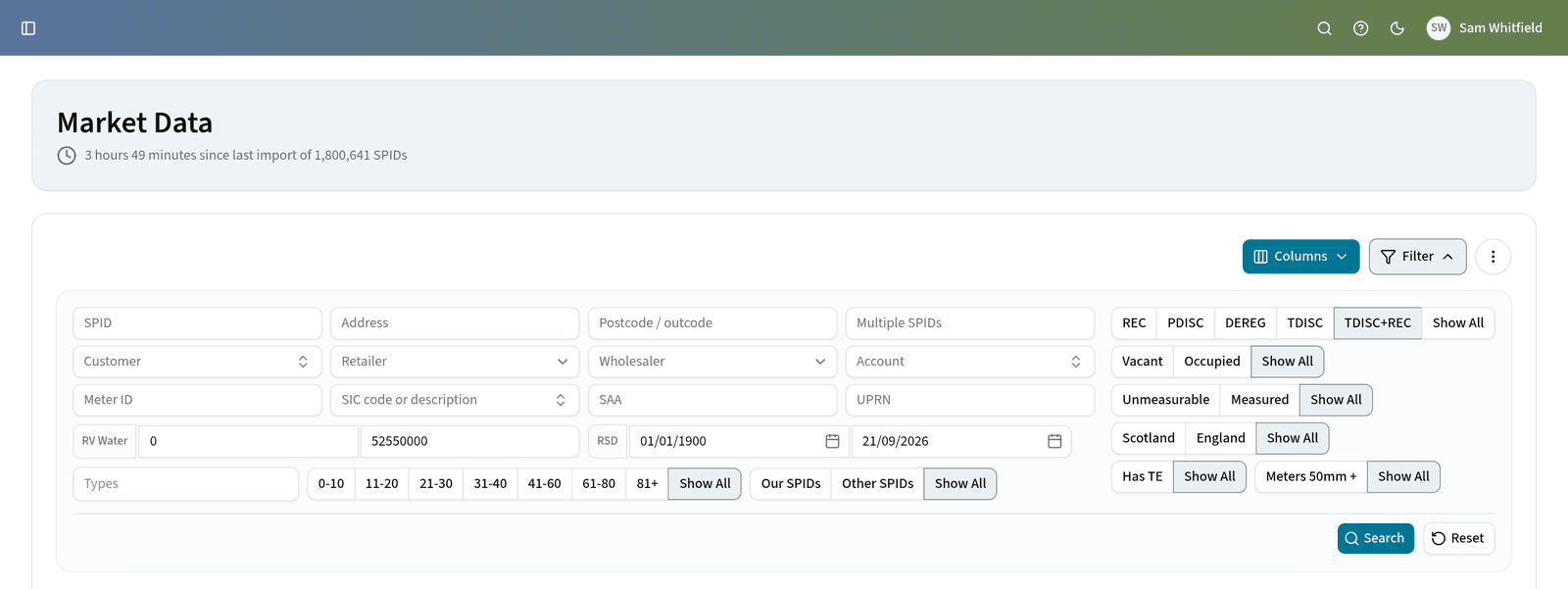
A range of criteria support comprehensive searches, and the results arrive in a clear table that is easy to review and select from.
Search by
- SPID
- Premise address
- Premise postcode
- Customer name
- Licensed Provider (LP) / Retailer
- Wholesaler
Refine by SPID status
- REC
- TDISC
- PDISC
- Vacancy status
Deep dive into supply point details
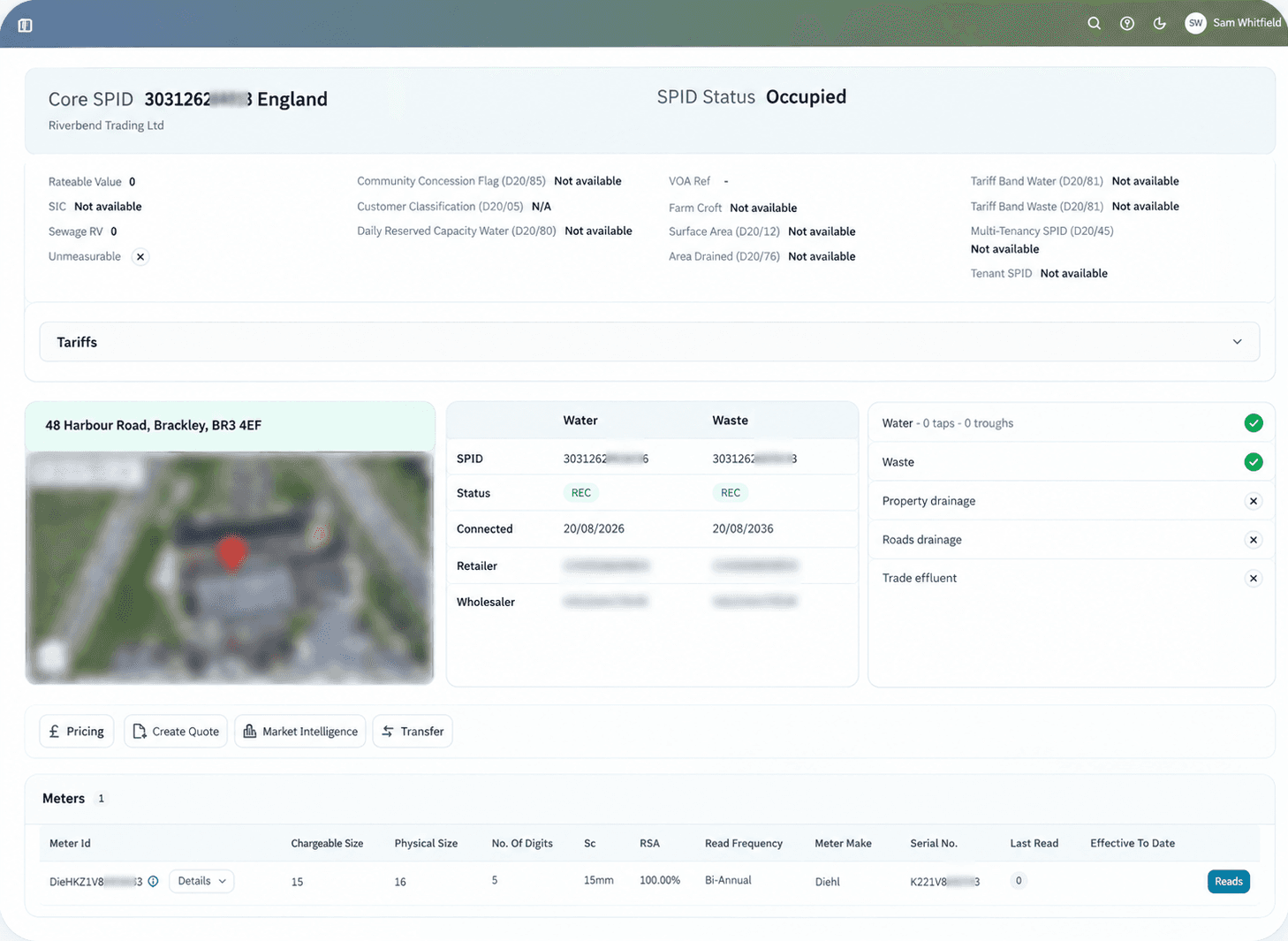
Select a SPID from the search results and you gain access to a wealth of information about that supply point.
- Customer name
- Premise address
- Occupancy status
- Services
- Wholesale tariffs
- Meter details
- Meter read history
Market data history
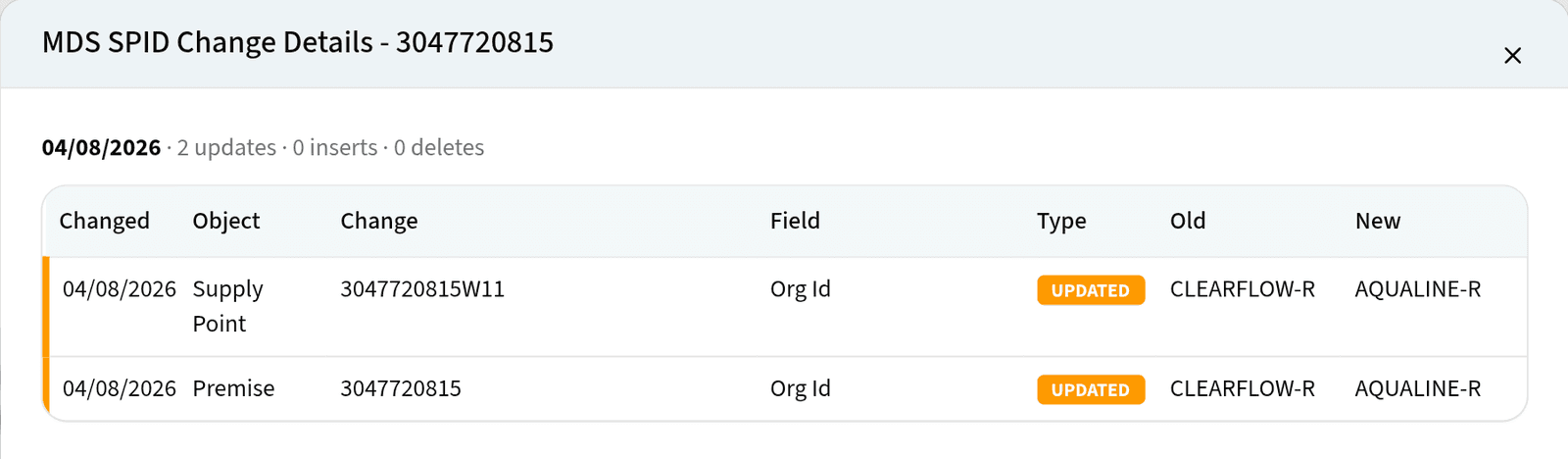
Market data is more than a snapshot of today. Edge holds historical market data, so you can look back at how a record stood at an earlier point and how it has changed since.
That history lets you see when a SPID, meter or tariff detail moved, investigate a discrepancy against what the market held previously, and give an operational decision the context behind the position you are looking at now.
Market intelligence, priced
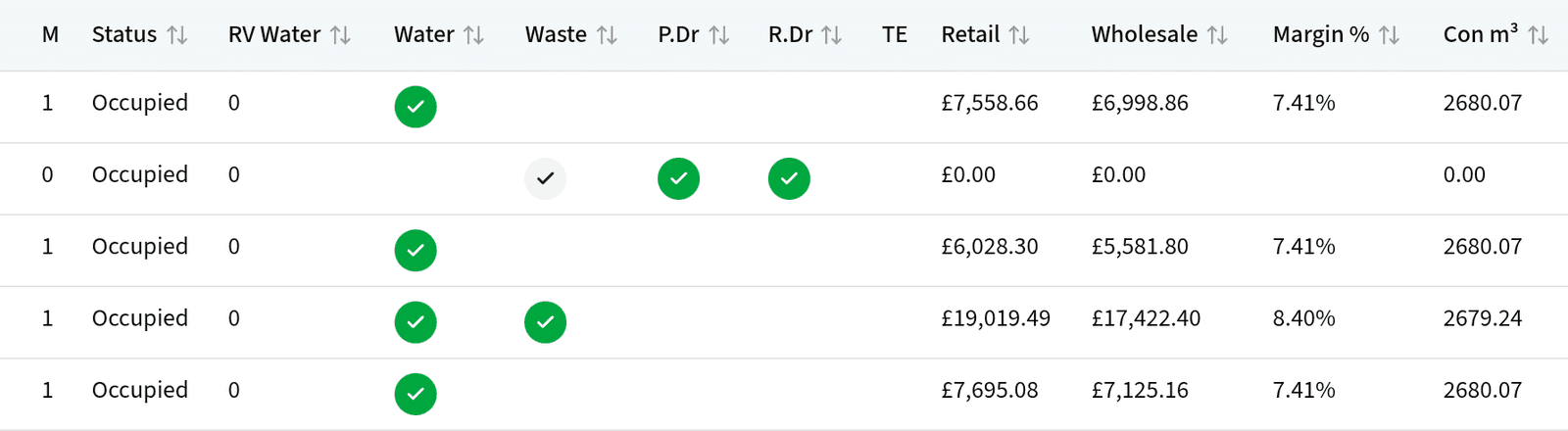
The Business Analyser takes you beyond looking up a SPID you already know. Narrow the market and Edge builds the matching cohort from the Market Data Set – priced, with retail, wholesale and margin alongside each supply point.
Narrow the market by
- Customer type
- Postcode
- SIC code
- Rateable value
- Status
- Region
SPID transfer
From market search to transfer
The Market Module search screen is the starting point for a streamlined SPID transfer.
Find the SPID
Search the market and open the supply point you want to bring across.
Click Transfer
The Edge SPID transfer process unfolds, and a new screen prompts you for the additional details needed for a smooth transition.
Choose the customer
Define the customer the SPID is being transferred to. If they are not yet on Edge, setting them up is a quick prerequisite.
Frequently asked questions
Questions retailers ask about the Market Module
How often is the Market Data Set refreshed in Edge?
Edge refreshes market data daily from central market operators, giving your sales and operations teams access to the latest supply point records across approximately 1.8 million SPIDs in England and Scotland.
Can I search supply points across both England and Scotland together?
Yes. The Market Module provides unified search across both the English market (MOSL) and the Scottish market (CMA) in a single screen, with consistent filtering by postcode, address, customer name, SPID, and vacancy status.
How does Edge initiate a SPID transfer?
From any search result or SPID detail view in the Market Module, a single click starts the transfer workflow. Edge guides you through assigning the customer, specifying contract dates, and submitting the market transaction via the HVI.
Works with
Modules that pick up where this one leaves off
- SPID ModuleA transferred SPID lands here, with a snapshot of its market, meter and read data.
- Accounts ModuleSet up the customer a SPID is being transferred to.
- Pricing ModuleRetail and wholesale pricing for the supply points you find.
- Quotation ModuleTurn a prospect found in the market into a quotation.
Explore How Edge Could Support Your Retail Operation
If you’d like to understand how Cloudwater Edge could support your business, we’d be happy to talk through your current setup, challenges and plans.
Book a conversation